1
Add a few ingredients
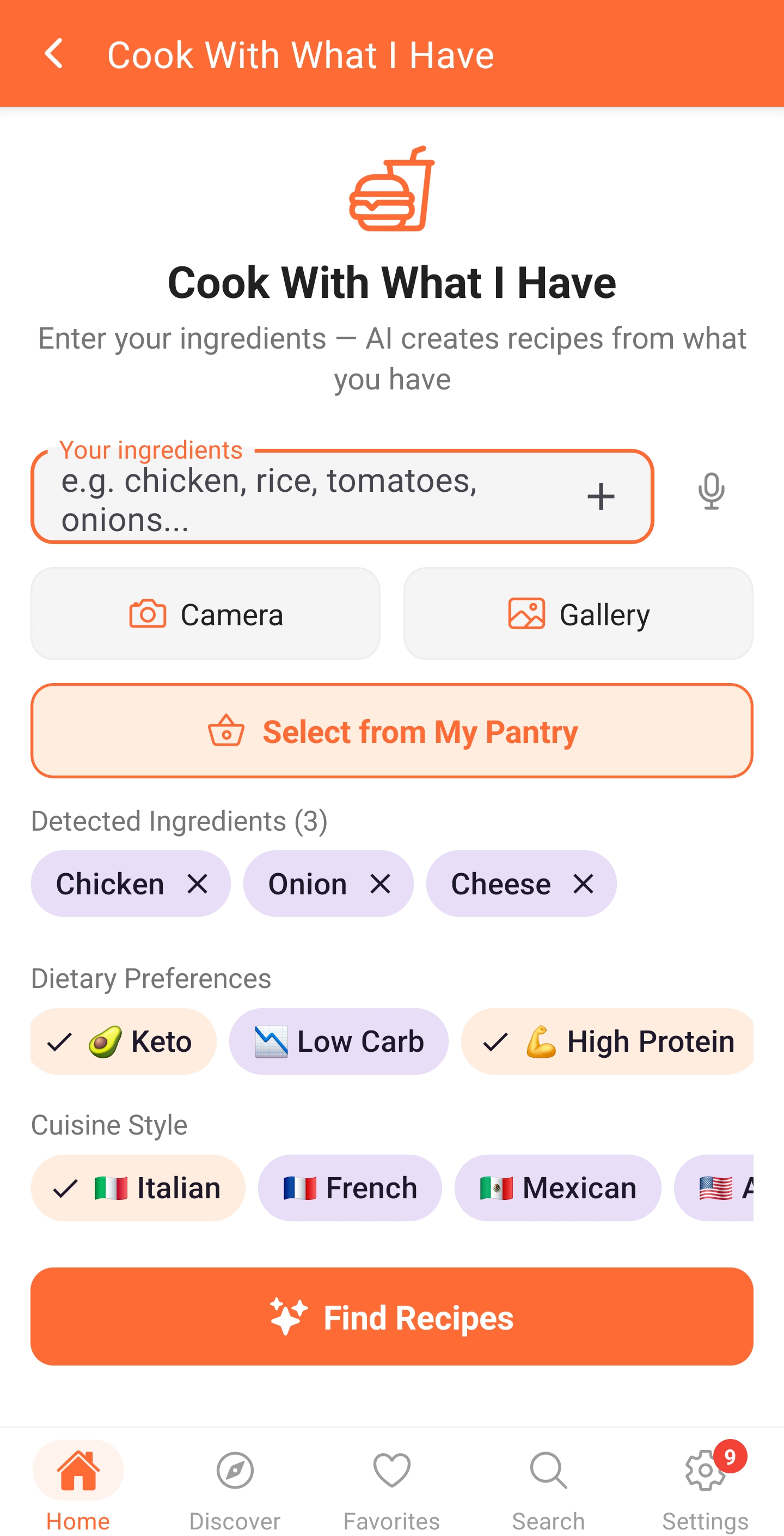
Enter what is in your fridge or pantry. Pantry items can be reused the next time you plan.
Recipes from ingredients
CookFeed starts with your fridge and pantry, then suggests practical recipes that fit your preferences. It is a faster way to answer “what can I make?” without beginning with another grocery trip.
How it works
Enter what is in your fridge or pantry. Pantry items can be reused the next time you plan.
Choose dietary needs, servings, cuisine, or the kind of meal you want.
Review the complete ingredients and instructions, then save the recipe to your collection.
A concrete example
Starting point
CookFeed result
CookFeed can turn that combination into a yogurt-spiced chicken and rice bowl, use the spinach in the meal, and show any small gaps before you begin.
Why CookFeed
Suggestions begin with food you already own instead of a fixed recipe catalogue.
Dietary choices and serving needs can shape the result before you save it.
A useful idea can move into your recipes, meal plan, and shopping workflow.
Questions
No. Start with the ingredients you want to use. Add more detail when it materially changes the kind of recipe you need.
CookFeed can use your selected dietary preferences when generating suggestions. Always verify ingredients yourself for allergies and medical dietary requirements.
Yes. Saved recipes can be organized in CookFeed and used across planning and shopping workflows.
Keep exploring
Describe the dish you want, or add a photo, and CookFeed writes a complete recipe with quantities and steps you can edit and save.
Learn more → Weekly planningCreate a flexible weekly meal plan around your diet, servings, schedule, and ingredients, then collect what is missing in one shopping list.
Learn more → Expiry-first planningTrack pantry ingredients and expiry dates, then find meals that help use food before it becomes waste.
Learn more →Start with the free plan on Web, or keep CookFeed close in the kitchen on iPhone, iPad, Android phones, or Android tablets.