Use what you have
Start with your ingredients, not another grocery run.
 English
 العربية
 Svenska
 Türkçe
 Français
 Deutsch
 Español
 Nederlands
 Italiano
 हिन्दी
Tell CookFeed what is in your fridge. Get practical recipes, a weekly meal plan, and a shopping list for only what is missing.
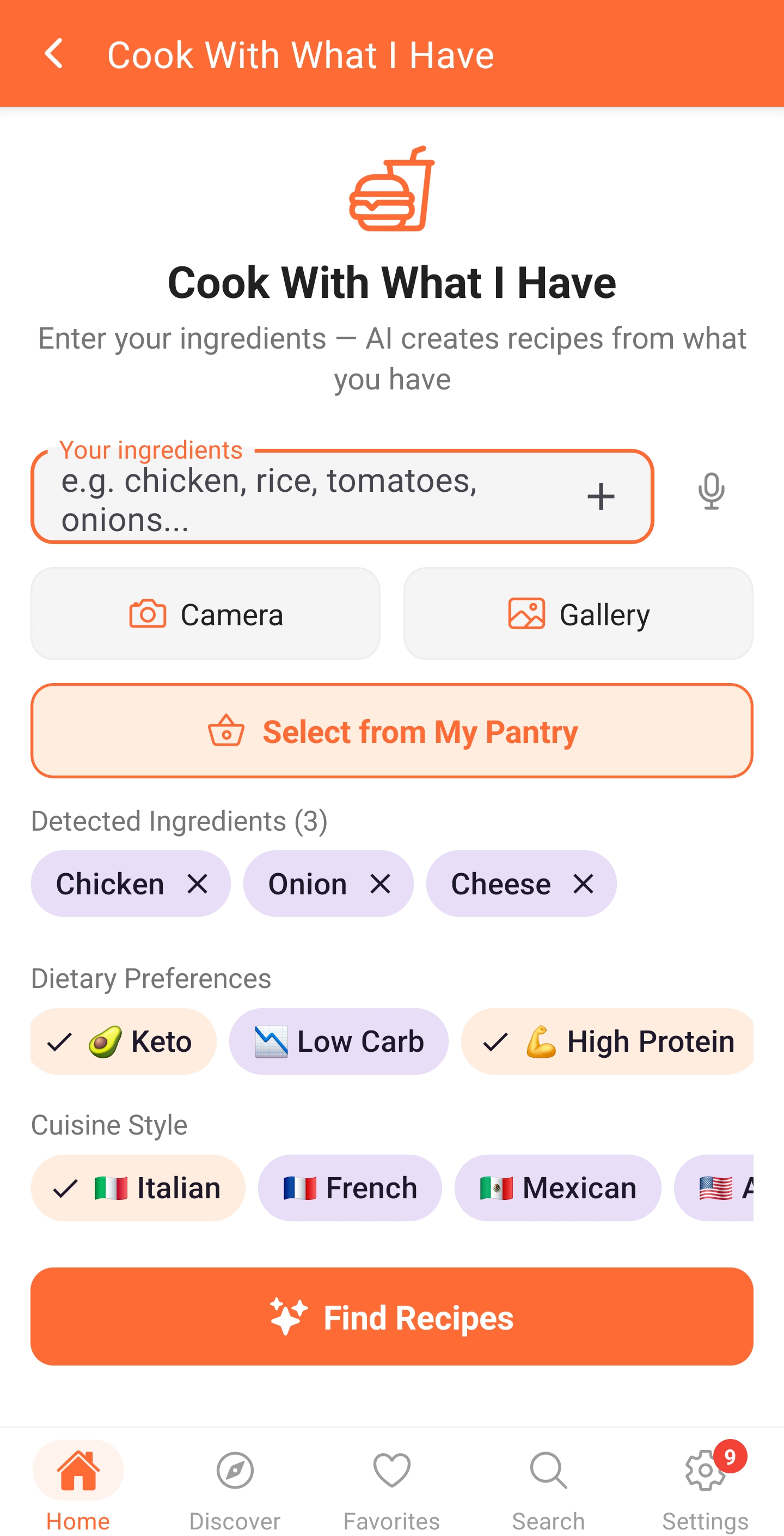


Start with your ingredients, not another grocery run.
Turn tonight's question into a practical weekly plan.
Get one organized list for everything that is missing.
Type a few fridge or pantry ingredients. CookFeed starts with what is already in your kitchen.
Choose meals that match your diet, schedule, servings, and ingredients that should be used first.
CookFeed turns the gaps in your plan into one organized shopping list, ready for the store.
The new web app is built for bigger screens and faster recipe management, while Android stays great for cooking on the go.
Use CookFeed on desktop to browse, edit, favorite, and share recipes with a layout that feels more natural for longer sessions.
Your phone is still the best place for cooking in the kitchen, trying AI tools, and using the features that depend on a camera or mobile device.
Short demos of our most powerful features
Snap a photo of any dish and get an instant recipe. Turn inspiration into reality.
Create custom recipes instantly with AI. Just tell us what you have, and we'll generate the perfect dish.
Turn yesterday's dinner into today's masterpiece. AI-powered leftover recipe ideas.
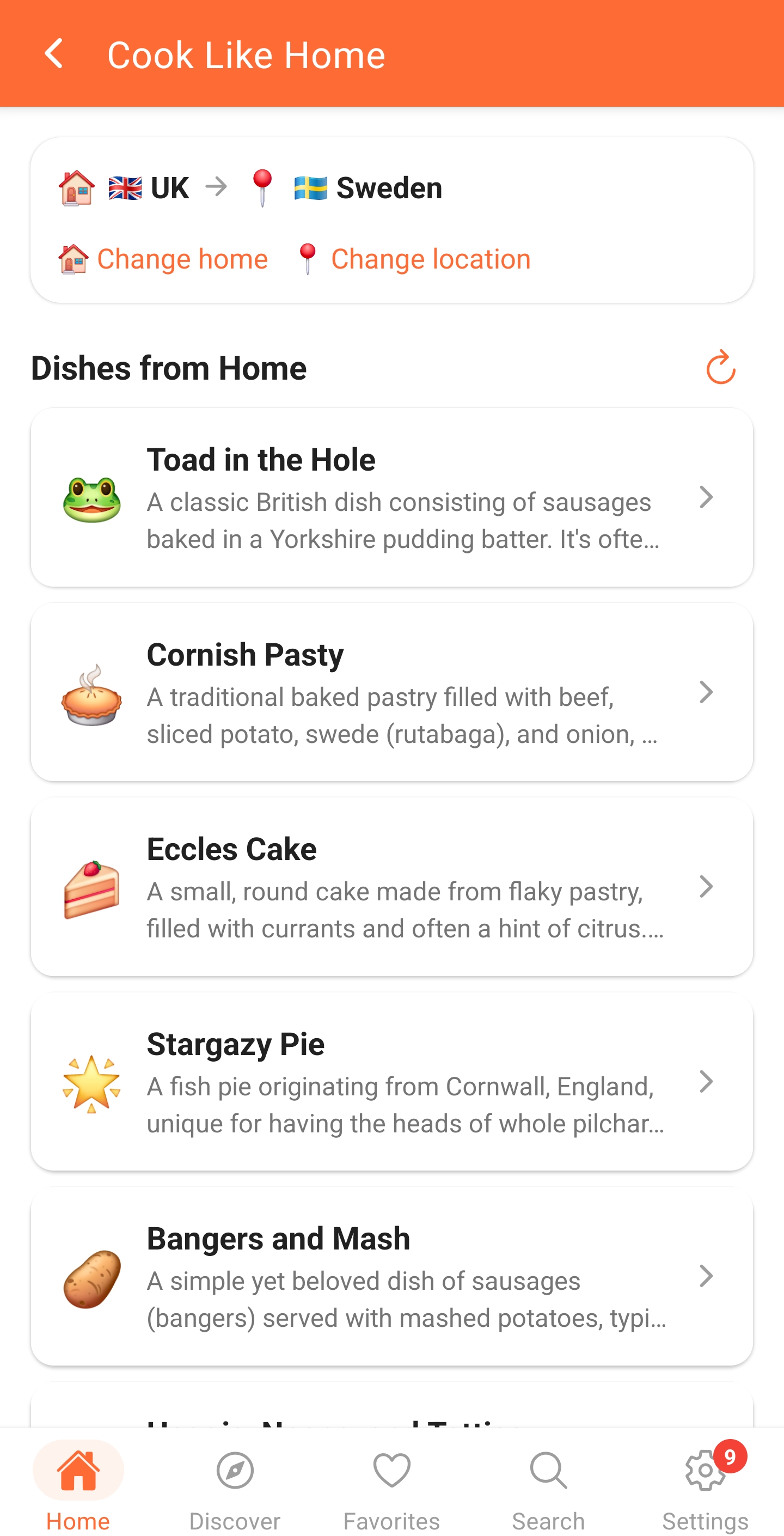
Taste of home. Anywhere in the world.
Try the core cooking experience at no cost. Premium unlocks the complete weekly workflow.
Find recipes based on ingredients you already have. Reduce waste and save money.
2 hours. 5 meals. One plan.
Track what's in your pantry with expiry dates. Get alerts before ingredients go bad.
Your personal recipe manager and cooking community. Save, organize, share, and discover recipes — powered by AI and available in 10 languages.
Cook smarter. Share better. Eat happier.
Add ingredients from your fridge or pantry and get practical ideas that use them first.
One connected place to use ingredients, plan meals, shop smarter, and cook with confidence.
Add ingredients from your fridge or pantry and get practical ideas that use them first.
Build a flexible plan around your diet, servings, schedule, and the food you already own.
Automatically collect only the missing ingredients and keep the list organized by section.
Track expiry dates and prioritize meals that rescue ingredients before they go to waste.
Recreate familiar dishes with local ingredient substitutions and support across 10 languages.
Follow one clear step at a time with built-in timers and voice guidance while your hands are busy.
These are the same practical three-step guides available inside the CookFeed mobile app.
Type a dish idea or ingredients, use voice, or add a photo. A few useful details are enough.
Choose servings, cuisine, dietary needs, or cooking time when you want a more tailored recipe.
Check the ingredients and instructions, then save the recipe or add it to your meal calendar.
Share your code and CookFeed gives you both promotional AI credits as a thank you.
Invite friendsShare your code for promotional AI credits
Share your code and CookFeed gives you both promotional AI credits as a thank you.
These are promotional AI credits from CookFeed. You can spend them on AI features right away.
Try the core cooking experience at no cost. Premium unlocks the complete weekly workflow.
One account, synced across web and Android.
A few useful details before you get started.
CookFeed is available in your web browser and on Android. Your account, recipes, and preferences stay in sync.
AI credits are used for eligible CookFeed AI tools, such as recipe generation, planning, and other assisted cooking workflows.
Free includes the core recipe experience and starter limits. Premium adds larger limits, premium tools, and included AI credits.
Yes. Sign in with the same CookFeed account and your recipes, favorites, and profile stay connected across supported platforms.
Yes. You can change your chef name in Settings. Username rules and a change interval help protect public names.
Start free, add a few ingredients, and let CookFeed turn them into a plan.